
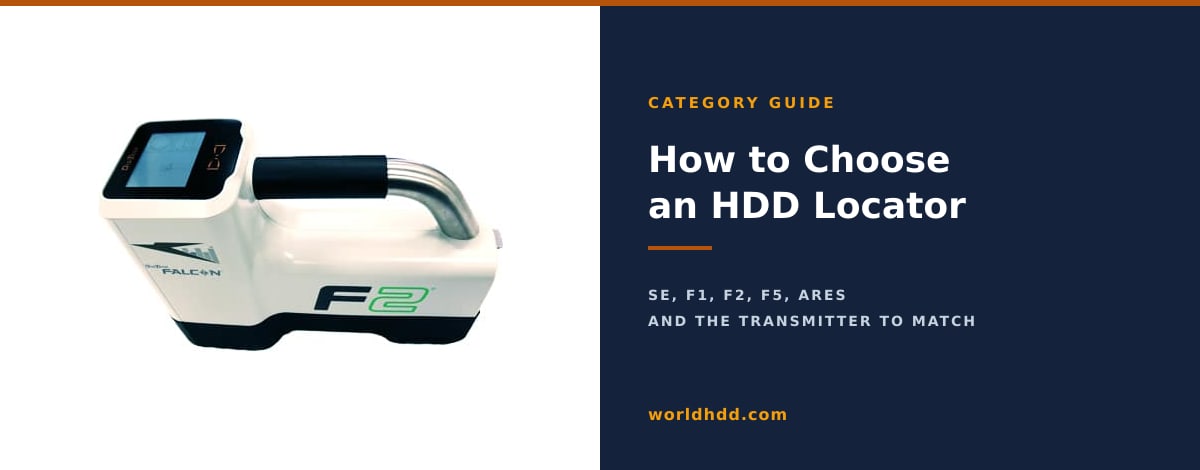
The locator is the only part of a directional drilling outfit whose job is to tell you the truth. Everything else moves dirt; this tells you where the head is, how deep, and which way it is pointing. Buy the wrong one for the ground you actually work in and you will find out on a bore you cannot afford to lose. This guide walks the decision in the order it really happens: which locating method, which system tier, which transmitter and housing, and how to test a used one before the money moves.
We stock 58 DCI locator listings, which makes this the deepest category on the lot after the rigs themselves. That is the bias you should read this with. What follows is a real decision framework, and the honest version of it: for utility, fiber and service work, DCI walkover equipment is what the used market actually supports, and it is what we know.
Three ways to locate a drill head, and why nearly everyone uses one of them
Walkover locating puts a transmitter in the drill head and a person with a receiver on the ground above it. The operator walks the bore path, finds the signal, and reads depth, pitch and roll off the screen. It is the method almost all utility installation runs on, because it is understood by every crew, the equipment is widely available used, and parts and transmitters can be sourced without a special order.
Wireline steering runs a physical conductor from the surface to the tool. Because the data does not have to climb through the ground, depth stops being the constraint. This is river crossing and industrial crossing equipment: long shots, deep shots, and jobs where nobody can walk the path because it is under water or under a runway.
Gyro-based steering is self-referencing. It does not care about magnetic interference at all, which is exactly why it exists, and it is the answer under heavy rebar, inside casings, or alongside energised rail. It is also the most expensive of the three and the least common in the used market.
For the work most contractors do, walkover wins on cost, crew familiarity and parts availability. The rest of this guide assumes walkover and assumes DCI, which is what we stock and what the used market is deepest in. If you do not have a rig yet either, What Equipment Do You Need to Start a Directional Drilling Business? covers the whole outfit and where the locator sits in the budget.
The four questions that decide this for you
Before any model names, answer these. Everything downstream falls out of them.
How deep do you actually drill? Not the deepest bore you have ever done. The depth you hit most weeks. Depth range is the single most expensive spec on a locating system and the one people most often overbuy.
What is in the ground and above it? Rebar-reinforced slab, live power, traffic signal loops, rail, salt-influenced soil, a corridor already full of other utilities. This is the question that decides tier, more than depth does.
Do you need the data at the rig? A remote display puts depth, pitch and roll in front of the operator instead of only in the locator's hands. On a two-person crew it changes how the bore is run.
Are you buying a system or a transmitter? If you already own a receiver, most of this guide's model ladder is background and the transmitter section is the part you need, because compatibility is where that money gets wasted.
The DCI decision ladder, entry level to flagship
One thing to get straight before the table, because it is the most common and most expensive misreading in the used market: "F5" and "Falcon F5" are not the same system, and neither is "Falcon F5+". The same is true across the F2 line. Generation determines which transmitters will pair, which bands exist, and what the machine is worth. Read the model plate, not the listing headline.
| System | Generation | Frequencies | Sub-k (rebar) | Depth / data range | On our lot |
|---|---|---|---|---|---|
| DigiTrak SE | Classic | 12 kHz fixed | No | 50 ft (ST12 long-range); 15 ft (SES short-range) | 2 listings |
| Falcon F1 | Falcon | 9 to 13 kHz, 60+ frequencies | No | 100 ft / 125 ft (15-in FT1) | 6 listings |
| DigiTrak F2 (classic) | Classic | 12 kHz or 19.2 kHz fixed | No | Varies by transmitter | 6 listings |
| Falcon F2 | Falcon | 4.5 to 45 kHz, hundreds of frequencies | No | 100 ft / 125 ft (FT2); 25 ft / 30 ft (FT2s) | 9 listings |
| DigiTrak F5 (classic) | Classic | Fixed and dual-frequency transmitters | No | Varies by transmitter | 6 listings |
| Falcon F5 | Falcon | Nine bands, hundreds of frequencies, 4.5 to 45 kHz plus Sub-k | Yes | 100 ft / 125 ft (FT5p); 125 ft / 150 ft (FT5Lp) | 11 listings |
| Falcon F5+ | Falcon, Multi-Power | Over 1,000 frequencies | Yes | 180 ft / 220 ft | see F5 Falcon listings |
| DigiTrak Ares | Current, AI scanning | Full-spectrum AI scan, roughly three times the Falcon count | Yes, on the SuperCore | Deepest of the line | new orders only |
Where each tier actually belongs
DigiTrak SE. A single fixed 12 kHz frequency and two transmitter options. It is house drops and short service lines, and it is honest work if that is your work. There is no frequency agility at all, so the first time you meet a noisy site you will be working around the machine rather than with it.
Falcon F1. The first real step up, because the receiver scans and picks a working frequency instead of accepting whatever 12 kHz is doing that day. DCI rates it to 100 feet of depth and 125 feet of data range on the 15-inch FT1. For residential and light commercial work with occasional interference, this is the sensible floor.
Classic DigiTrak F2 and F5. Fixed and dual-frequency transmitters, no Falcon optimizer. These exist in the used market in numbers and they are cheap for the capability, which is exactly the trap: they are only the right buy if you already run compatible transmitters and want parts continuity. Buying into a classic generation new-to-you means buying into a transmitter fleet that will not move forward with you.
Falcon F2. The working middle of the market. One wideband transmitter covers 4.5 to 45 kHz and the receiver picks the quietest band on site. The FT2 is rated 100 feet depth and 125 feet data range; the short 8-inch FT2s drops to 25 and 30. What it does not have is Sub-k, and that is not a small footnote: the F2's frequency floor is 4.5 kHz, well above the Sub-k band, so rebar work is never an F2 conversation. Full treatment in the DigiTrak Falcon F2: Specs, Used Prices, and the Buyer's Guide.
Falcon F5. The F5 adds the two things the F2 cannot do: Sub-k rebar capability, and Max Mode signal processing for holding a reading when the site is fighting you. It scans nine bands spanning hundreds of individual frequencies. On depth, be careful what you are being sold: the wideband FT5p is rated 100 feet depth and 125 feet data range, and the longer FT5Lp 125 and 150. The often-quoted 180 and 220 foot figures belong to the F5+ receiver running Multi-Power transmitters, which is a different and dearer proposition. The DigiTrak Falcon F5: Specs, Used Prices, and the Buyer's Guide goes through the generations and what each is worth.
DigiTrak Ares. DCI's current flagship, launched at the Utility Expo in October 2025. It scans the full spectrum automatically using AI-driven band selection, with roughly three times the frequency count of the Falcon system, and its SuperCore transmitter carries rebar capability as an assignable band rather than as a separate model you have to buy and carry. The buying consequence matters more than the spec sheet: SuperCore transmitters do not pair with Falcon receivers, and Falcon transmitters do not pair with Ares. Moving to Ares means moving the transmitters too.
Most utility and fiber contractors land on a Falcon F1 or Falcon F2. Interference-heavy or rebar work pushes you to the F5. Ares is for crews who would rather buy the next decade than the next job.
Locators on the lot now
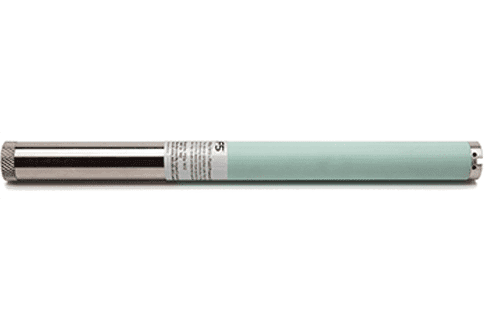
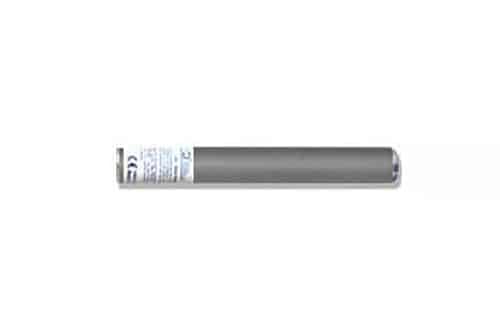
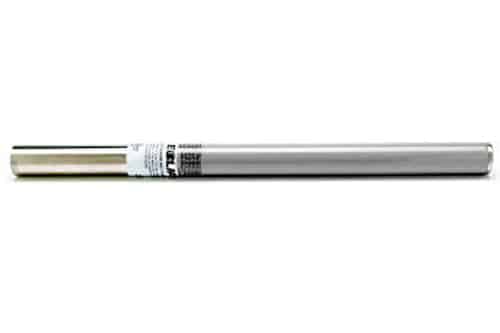
Want a quote today? Call (877) 288-0280.
Choosing the transmitter, which is where the money gets wasted
The receiver gets the attention and the transmitter gets bought wrong. Five things decide it.
Compatibility is not negotiable
Receiver and transmitter must be the same platform generation, and the region designation must match as well. Ares SuperCore will not pair with a Falcon receiver. Classic F-series transmitters will not pair with Falcon receivers. There is no adapter and no firmware path around it. This is the single most expensive mistake available in this category, because a transmitter is four figures and an incompatible one is worth exactly what you can resell it for.
Frequency band, and which way to move it
Lower frequencies travel further through ground and couple less readily to nearby metal, which is why they win on depth and on selectivity in a crowded corridor. Higher frequencies couple more easily to small conductors and lose range faster. The middle of the range is the sane default for general work. When you are about to bore under reinforced concrete, you want to be going down into Sub-k, roughly 0.33 to 0.75 kHz, and only the F5 and Ares generations can go there. On a Falcon receiver, let the optimizer scan the site before the bore rather than guessing.
Length has to fit the housing, not just the job
Eight-inch transmitters for short-range and tight heads, 15-inch for general utility work, 19 and 24-inch for depth. The constraint people forget is physical: the transmitter has to fit the housing in the drill head, and the housing has to let the signal out. DCI specifies a minimum of three equally spaced slots around the circumference, each at least one sixteenth of an inch wide, with slot length sufficient for the transmitter body. Measure the housing before ordering a longer transmitter, not after.
Power mode is a battery decision as much as a depth one
High power reaches deeper and drains faster. Low power extends run time and reduces crosstalk when you are threading a corridor full of other people's utilities. Standard sits in between and is the right starting point. Decide this alongside the transmitter, not after you own it, because it changes which battery strategy makes sense for your shift length.
Temperature rating, which matters more in the South than the spec sheet suggests
The full-size FT2 has an overheat threshold of 220 degrees Fahrenheit. The short 8-inch FT2s is rated to 180. Those are maximum-exposure numbers, and exceeding them voids DCI's warranty. Forty degrees of headroom sounds academic until you are on a long summer bore in Florida or Texas, where ground temperature and friction stack up and the short transmitter is the one working closest to its ceiling. The transmitter streams its own temperature to the receiver continuously, so you will see it climbing before anything fails, but the better move is to buy the headroom on work that will demand it.
If you are only buying a transmitter, check three things before you pay
The receiver family and generation you own (from the model plate, not the listing title). The region designation on both units. And the inside dimensions of the housing you intend to run it in. Those three answers turn a risky purchase into a routine one, and they take about five minutes to gather. We keep 6 transmitter listings and can confirm fit against your receiver before anything ships.
Site conditions that justify stepping up a tier
| Condition | What it does to the signal | What you need |
|---|---|---|
| Rebar-reinforced concrete | Distorts the field without emitting anything of its own; higher frequencies scatter under it | Sub-k, so Falcon F5 or Ares. Nothing below that generation solves it. |
| Live power, traffic loops | Emits on frequencies that overlap the locator's own | A receiver that can scan and move bands. Falcon F1 at minimum. |
| Salt-influenced or highly conductive soil | Drains signal fast; effective range drops | More power and a lower band. Expect less depth than the rating implies. |
| Rail crossings | Steel rail behaves like rebar, passively distorting the field | Sub-k or the lowest available band. |
| Crowded utility corridor | Signal couples onto adjacent lines and reads back at you | Band agility to find a quiet slot, plus the option of lower power. |
The practical rule: if more than one of these describes your normal week, step up a full tier rather than buying the cheaper system and planning to work around it. Working around a locator costs time on every bore, and it costs it forever.
How to test a used locator before you buy it
Seven checks, in the order you would actually run them. None of this needs a bore, and all of it can be done in an open yard in under an hour.
Confirm the generation match before you power anything on
Read the model plate on the receiver and on the transmitter, and confirm both the platform generation and the region designation agree. A mismatch here is not a fault to negotiate over, it is two pieces of equipment that will never work together.
Pair them in open ground and confirm the basics appear
Away from buildings, vehicles and power. Power up both and confirm the transmitter pairs and that roll and pitch are being reported on screen. If roll or pitch is missing or erratic here, in the cleanest conditions the machine will ever see, stop.
Run the one-point calibration at exactly ten feet
Centre of transmitter to the inside edge of the receiver, on level ground, measured with a tape rather than paced. Calibration should succeed with signal strength in the normal working window. A reading far below it points at a weak or damaged transmitter or a tired battery; far above it means you are too close or in too high a power mode. An attenuation warning that will not clear at ten feet in open ground is a fail, not a quirk.
Check depth accuracy against a tape at more than one distance
Calibrating at ten feet and never checking anything else is how people buy a receiver that is only right at ten feet. Take readings at several distances and compare against measured ground truth. Small deviation is normal; a consistent bias that grows with distance is not.
Let the transmitter run and watch its temperature
Twenty to thirty minutes, with the temperature readout visible. The transmitter reports its own temperature continuously, and on the surface in open air it should settle at something sane and stay there. A unit that climbs toward a warning while sitting in a yard has a problem that a bore will make worse, and the temperature circuit itself is a known weak point on older units, so a reading that is implausibly stable or implausibly wrong is also information.
Confirm signal stability at your actual working distance
Walk the receiver out to the depth you really drill at and confirm the signal holds. Plenty of used equipment is fine at calibration distance and unreliable at the range you bought it for.
Inspect the sealing surfaces and battery contacts
Most slow deaths in this category start with moisture. Look at the battery bay for corrosion, check the seals and the screen for damage or dead zones, and confirm the charger and any infrared pairing hardware are present and working.
The same discipline applied to the rig itself is in The Used Directional Drill Inspection Checklist, and the two inspections usually happen on the same visit. Everything we list goes through our own inspection before it reaches the site; if you are buying elsewhere, run this protocol yourself before the money moves.
What used DCI equipment actually costs
Prices below are read live from our inventory as you load this page, so they are current rather than a snapshot. Two things to keep in mind reading them. Transmitters are usually sold separately from receivers, so a receiver price is not a working system price. And a full system with a remote display is a different number again.
| Tier | In stock | Asking range |
|---|---|---|
| DigiTrak SE | 2 listings | $2,150 |
| Falcon F1 | 6 listings | $2,700 to $16,360 |
| Falcon F2 | 9 listings | $3,350 to $23,278 |
| Falcon F5 | 11 listings | $3,700 to $28,800 |
| DigiTrak F5 (classic) | 6 listings | $3,400 to $11,995 |
| Aurora remote displays | 2 listings | $5,995 to $6,995 |
| Transmitters, standalone | 6 listings | $2,200 to $4,950 |
The shape of that ladder is the useful part. Entry-level fixed-frequency equipment sits in the low thousands and buys you a working system with no agility. A Falcon receiver on its own is the biggest single line item in the category. A complete Falcon system with a remote display roughly doubles an entry-level outfit, and that is the number to budget against if you want the data at the rig rather than in the locator's hands.
Used locating equipment finances the same way rigs do. We do not lend; we connect buyers with First Pacific Funding, and pre-approval does not affect your credit score, with turnaround typically 24 to 48 business hours. Approval and rates are never guaranteed. Locating equipment may also qualify for Section 179 expensing in the year you place it in service; consult your CPA about your own situation, as this is not tax advice. You can start from the HDD equipment financing page.
What to have ready when you call
Five answers turn a long conversation into a short one. The depth you typically drill. The site conditions you meet most often. The receiver family you already own, if you are buying a transmitter rather than a system. The inside dimensions of your drill head housing. And whether you want a complete system or individual components. With those, we can tell you which tier fits and, just as usefully, which tier you do not need to pay for.
Frequently asked questions
What is the difference between a walkover locator and a wireline locator?
A walkover system puts a transmitter in the drill head and a person with a receiver on the surface above it, reading depth, pitch and roll as they walk the bore path. A wireline or steering-tool system runs a physical conductor from the surface down to the tool, so the data never has to travel through the ground. Walkover is what almost all utility, fiber and service work uses because it is cheaper, familiar to crews and well supported in the used market. Wireline comes out for river and industrial crossings, and for depths and conditions where nobody can walk the path.
How deep can a DigiTrak locator read?
It depends on the generation and, just as much, on the transmitter. Per DCI, a Falcon F1 with the 15-inch FT1 is rated to 100 feet of depth and 125 feet of data range. A Falcon F2 with the FT2 is the same 100 and 125, while the short 8-inch FT2s drops to 25 and 30. A Falcon F5 with the wideband FT5p is 100 and 125, and the longer FT5Lp 125 and 150. The frequently quoted 180 and 220 foot figures belong to the F5+ receiver running Multi-Power transmitters, not to a base Falcon F5, which is a distinction worth checking before you pay for it.
What frequency should I use for HDD locating?
Lower frequencies carry further through soil and couple less readily to nearby metal, so they favour depth and selectivity. Higher frequencies couple more easily to small conductors but lose range faster and are more prone to crosstalk in a crowded corridor. The middle of the range is the sensible default for general work. Under reinforced concrete you want Sub-k, roughly 0.33 to 0.75 kHz, which only the F5 and Ares generations offer. On a Falcon receiver, run the frequency scan on site before the bore rather than choosing from habit.
What is Sub-k and why does rebar need it?
Sub-k is DCI's sub-kilohertz band, roughly 0.33 to 0.75 kHz. Rebar is a passive interferer: it does not transmit anything, it distorts the field your transmitter is producing, and it scatters higher frequencies badly enough to make readings unreliable or impossible. Dropping into Sub-k gets under that. It is the reason rebar work pushes you to a Falcon F5 or an Ares, and the reason a Falcon F2 is not a candidate for it at any price.
Can I use a Falcon F2 transmitter with a Falcon F5 receiver?
Compatibility runs by platform generation and region designation, not by model number similarity, so this needs checking against the specific units rather than assumed either way. What is certain at the edges: Ares SuperCore transmitters do not pair with Falcon receivers, and classic F-series transmitters do not pair with Falcon receivers. Read the model plates on both pieces and confirm before buying. We will check a pairing against your receiver before anything ships.
How much does a used DigiTrak locator cost?
It spans a wide range because the category holds everything from a single fixed-frequency transmitter to a complete Falcon system with a remote display. On our lot right now, Falcon F1 listings ask $2,700 to $16,360, Falcon F2 $3,350 to $23,278, and Falcon F5 $3,700 to $28,800. Standalone transmitters run $2,200 to $4,950. Those figures are read live from inventory, so they are current as you read them.
What is the maximum temperature for a DigiTrak transmitter?
The full-size FT2 has an overheat threshold of 220 degrees Fahrenheit and the short 8-inch FT2s is rated to 180. These are maximum-exposure figures and exceeding them voids DCI's warranty. The transmitter reports its own temperature to the receiver continuously, so a climb is visible before damage occurs. In high-heat markets, and on long bores where friction adds to ground temperature, the larger transmitter's extra headroom is a real buying consideration rather than a specification footnote.
How do I calibrate a DigiTrak receiver?
The one-point calibration is done at exactly ten feet, measured from the centre of the transmitter to the inside edge of the receiver, on level ground and away from interference. Measure it with a tape rather than pacing it, because an inaccurate calibration distance produces a receiver that is confidently wrong at every depth afterwards. If calibration will not complete, or an attenuation warning persists in clean open ground, treat that as a fault to investigate rather than a step to retry.
Should I buy a classic F2 or F5 instead, since they are cheaper?
Only if you already own compatible transmitters and want parts continuity. The classic generations are genuinely cheaper for the depth capability, but buying into one new-to-you means buying into a transmitter fleet with no upgrade path, and the receiver's lack of frequency agility is felt on every interference-heavy site. If you are starting fresh, the money is usually better spent on a Falcon generation receiver with fewer accessories than on a classic system with more.
Do I need a remote display?
You need one when the person running the rig needs the same information as the person walking the bore. On a two-person crew it changes how the bore is run, because the operator is reacting to live depth and pitch rather than to hand signals. It is a real cost on top of the system, so it is worth deciding deliberately rather than treating it as a default accessory.
Ready to narrow it down? Browse our 58 DCI locator listings to see the full category, or go straight to the tier you have landed on: Falcon F5 for rebar and interference-heavy work, Falcon F2 for the working middle, Falcon F1 to start. If you already own a receiver and just need the beacon, the transmitter listings are here and we will confirm compatibility against your unit first. Or call (877) 288-0280 and tell us the depth and the ground, and we will tell you which tier you actually need.
Sources and references. Specifications are taken from DCI documentation and from named trade press, and are kept consistent with the model-level guides this article links to. Verified August 2026.
- Digital Control Inc: DigiTrak receiver lineup
- Digital Control Inc: DigiTrak transmitter lineup
- Digital Control Inc: DigiTrak Ares
- Digital Control Inc support portal: transmitter specification sheets and the one-point calibration procedure (accessed August 2026; the portal blocks automated access, so it is cited rather than linked)
- Trenchless Technology: "DCI Unveils DigiTrak Ares" (October 2025), on the Utility Expo launch and AI frequency scanning
- Trenchless Technology: "What to Consider When Purchasing a Locating System", on the enduring selection criteria